 BirdSafe
One-click full backup
Pull bookmarks and likes in one click, with smart incremental resume and reliable checkpoints.
A local-first browser extension that turns every saved post on Twitter/X into your long-term, controllable digital asset.
FROM SAVE TO OWNERSHIP
From automatic backup and offline search to portable exports, BirdSafe turns scattered Twitter/X saves into a long-term library you truly control.
Pull bookmarks and likes in one click, with smart incremental resume and reliable checkpoints.
Search by full text and author instantly, even without network.
Export to JSON / CSV / Excel and sync to Notion. Your data stays yours.
BirdSafe runs in the background with human-like pacing and auto media completion to keep your local mirror complete.
Organize
Use the same dataset with different layouts for visual scan, precise filtering, and immersive review.
Card grid focused on covers. Great for fast visual scanning across large collections.
Structured rows with author, summary, publish time, and engagement data for sorting and batch ops.
Timeline-like layout that preserves original post rhythm for immersive review.
Heatmaps and category stats make your information habits visible, so backup becomes insight, not just storage.
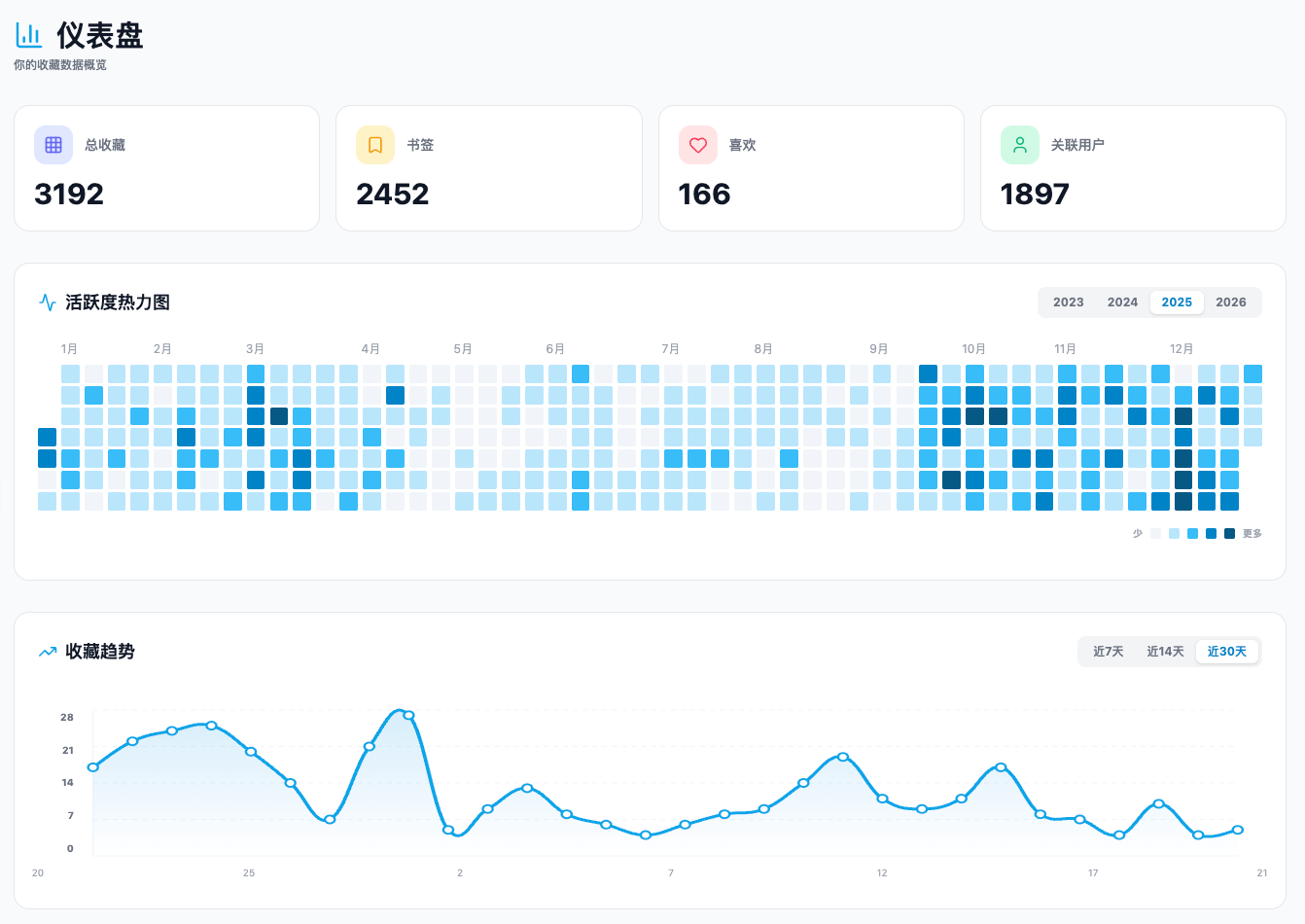
Theme, media cache, mapping fields, and export paths are configurable; sync cadence is intelligently balanced.
Built around your curiosity
If you continuously collect knowledge on Twitter/X, BirdSafe is built for you.
Save dozens of posts every day and need long-term searchable, traceable management.
Build a reliable inspiration library and reuse ideas, cases, and media quickly.
Track industry signals continuously and build cross-time knowledge records.
Connect saved data into your automation workflows, knowledge base, or analytics stack.
From install to permanent
Four simple steps to your first local backup
Install from Chrome or Edge store in one click. No registration required.
Use Twitter bookmarks as usual. BirdSafe captures quietly in the background.
Content is captured and written into your local database, including original images.
Even if the original post is deleted, your local copy remains available.
Your collection, your plan
Core features are free forever, Pro unlocks advanced power
Core archiving, free forever
Advanced capabilities
Questions, answered
Everything you may want to know about BirdSafe
No. BirdSafe uses throttling and jitter, requests only necessary permissions, and follows platform policy.
Yes. BirdSafe uses local IndexedDB by default. Nothing is sent to third-party servers unless you explicitly enable external sync.
Yes. Once captured locally, your archived copy remains available in BirdSafe.
Yes. Pro supports local media mirroring. Current cloud sync covers text and original images, not 4K video.
Free users can export/import or resync history; Pro users can restore to local via cloud sync after login.
Yes, for collaboration visibility. It is not a restore channel back to local data.
Not yet. BirdSafe currently focuses on Twitter/X archival quality first.
Free covers core archive workflow. Pro adds unlimited archive, encrypted cloud storage, Notion sync, and media mirroring.
No. BirdSafe runs asynchronously and does not block your normal browsing flow.
It may. Uninstalling can clear extension local databases. Use regular exports or Pro cloud backup for recovery safety.
Platforms change and algorithms change, but your saved knowledge should not vanish.